whatapp keep looping #
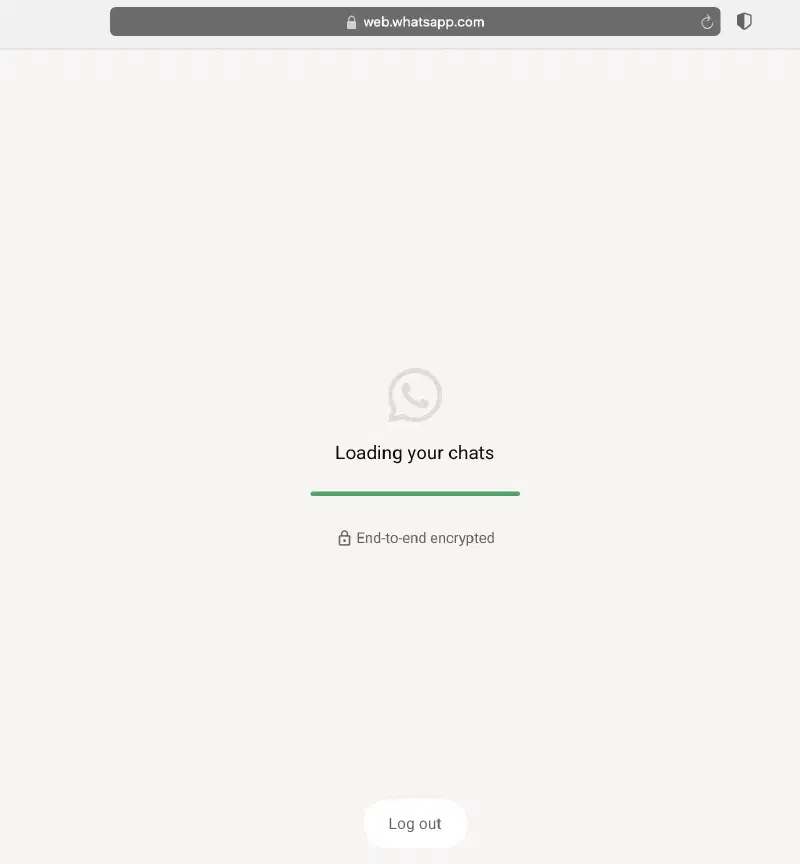
I recently encountered a frustrating issue with WhatsApp Web on my Mac mini after not using my MacBook for a while.
When attempting to log in, the application stuck indefinitely on the loading screen. Standard quick fixes like refreshing the page didn’t help—in fact, the infinite loop continued, and the “Log Out” button disappeared entirely.
1. Initial Troubleshooting Efforts #
Initially assuming it was a network, caching, or browser extension issue, I attempted several standard fixes:
Disabled uBlock Origin and Firefox’s Enhanced Tracking Protection.
Cleared site cookies and local cache.
Switched to a mobile hotspot.
Tested across other browser, Safari, and Private Browsing mode.
None of these attempts resolved the issue.
2. Investigating the Network Logs #
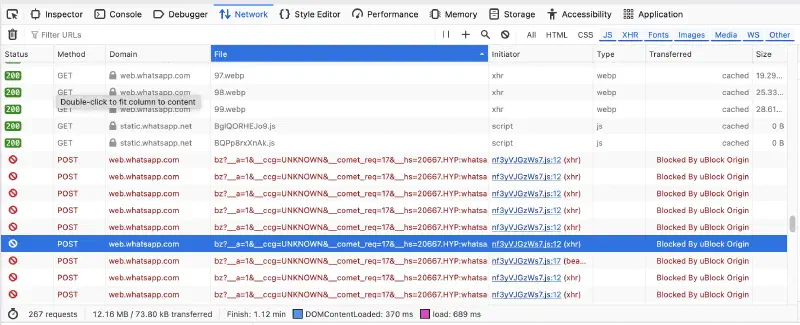
I opened the browser Developer Tools to check the network activity and spotted failing background requests. Specifically, a 400 Bad Request was being thrown on a crash log request to Meta (crashlogs.whatsapp.net).
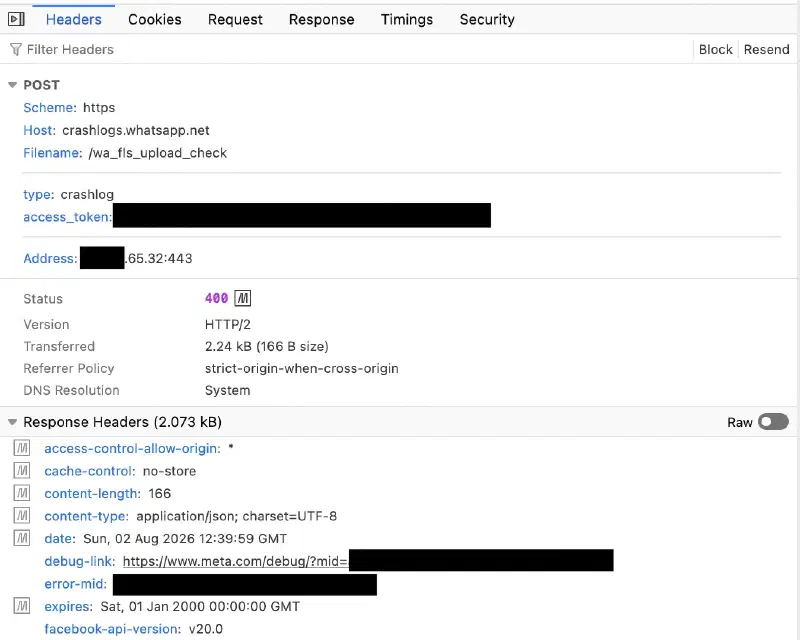
Inspecting the response payload revealed a Meta OAuth error, it might because the stored session token was invalid, expired, or corrupted on Meta’s server, such that the crashlog also fail to connection.
3. Root Cause Analysis #
Digging deeper into the payload of the crash report revealed the underlying trigger:
{
"error": {
    "message": "(#403) Upload is forbidden",
    "type": "OAuthException",
    "code": 403,
    "fbtrace_id": "exampleexample1O-"
}
}
It seem current session token is invalid, expired, or corrupted on servers viewpoint.
Then the front-end JavaScript panicked. It attempted to upload a crash log and also failed due to the 403 Forbidden response
Such that leaving the web app trapped in an infinite reload loop.
geckoformboundary[31 chars]

Content-Disposition: form-data; name="support_exception_only_upload"


true

------geckoformboundary[31 chars]

Content-Disposition: form-data; name="reason"


syncd: missing indexMAC from REMOVE in collection critical_block

------geckoformboundary[31 chars]--
syncd: missing indexMAC from REMOVE in collection critical_block
When WhatsApp Web links to your phone, it creates an encrypted local database (critical_block) to synchronize chat keys and contact states.
When a REMOVE operation fails to find its corresponding Message Authentication Code (indexMAC), the sync engine throws an unrecoverable exception.
Because this state was tied to stale session data on Meta’s servers, local browser refreshes or basic cache wipes could not resolve it.
Solution #
1. Unlink All Devices on Phone #
Open WhatsApp on your mobile device -> Settings -> Linked Devices -> Log out of all existing sessions.
2. Clear Site Storage in Browser #
In Firefox (or your browser of choice):
Navigate to Preferences / Settings -> Privacy & Security.

Scroll to Cookies and Site Data -> Click Manage Data...

Search for whatsapp.com and select Remove Selected.
Conclusion #
After unlinking all devices from the mobile app and clearing the local site storage, I refreshed web.whatsapp.com, scanned the fresh QR code, and logged back in successfully.
The issue likely occurred because an inactive session on one device fell behind on cryptographic sync keys while another device modified chat states. When the inactive device attempted to reconnect that triggered the unrecoverable loop.
As WhatsApp Web provides no explicit UI error message when this occurs, it’s easy to mistake it for a routine network issue at first.